The best NotebookLM alternative depends on one question: should the AI work on sources you pick, or on everything you've read? NotebookLM, Recall and MyMind work on what you save. TraceMind, Chrome's AI history search and Datarag capture pages as you read them. The sections below show where each tool stops and when an AI browser history search fits better than a notebook.
What does NotebookLM work on?
NotebookLM answers from the sources you add to a notebook. Google's help page on adding sources lists PDFs, Google Docs, Slides, Sheets, pasted text, web URLs, public YouTube videos and audio files, among others.
That design suits a fixed project. A student loading the papers for a literature review gets answers grounded in exactly those papers. A PM preparing a launch brief can add the spec, the interview notes and a few competitor pages.
The catch is the step before the question. A page reaches NotebookLM only if you add it. The docs page that fixed your build last Tuesday isn't there unless you saved it that day. For the two-way comparison, see Datarag vs NotebookLM.
Which NotebookLM alternatives work on pages you have already read?
TraceMind, Chrome's AI history search and Datarag record pages while you read. Recall and MyMind wait for you to save each page. That split matters more than any feature list. Save-first tools give you a tidy library of what you picked. Capture tools keep a record of everything, including pages you never expected to need.
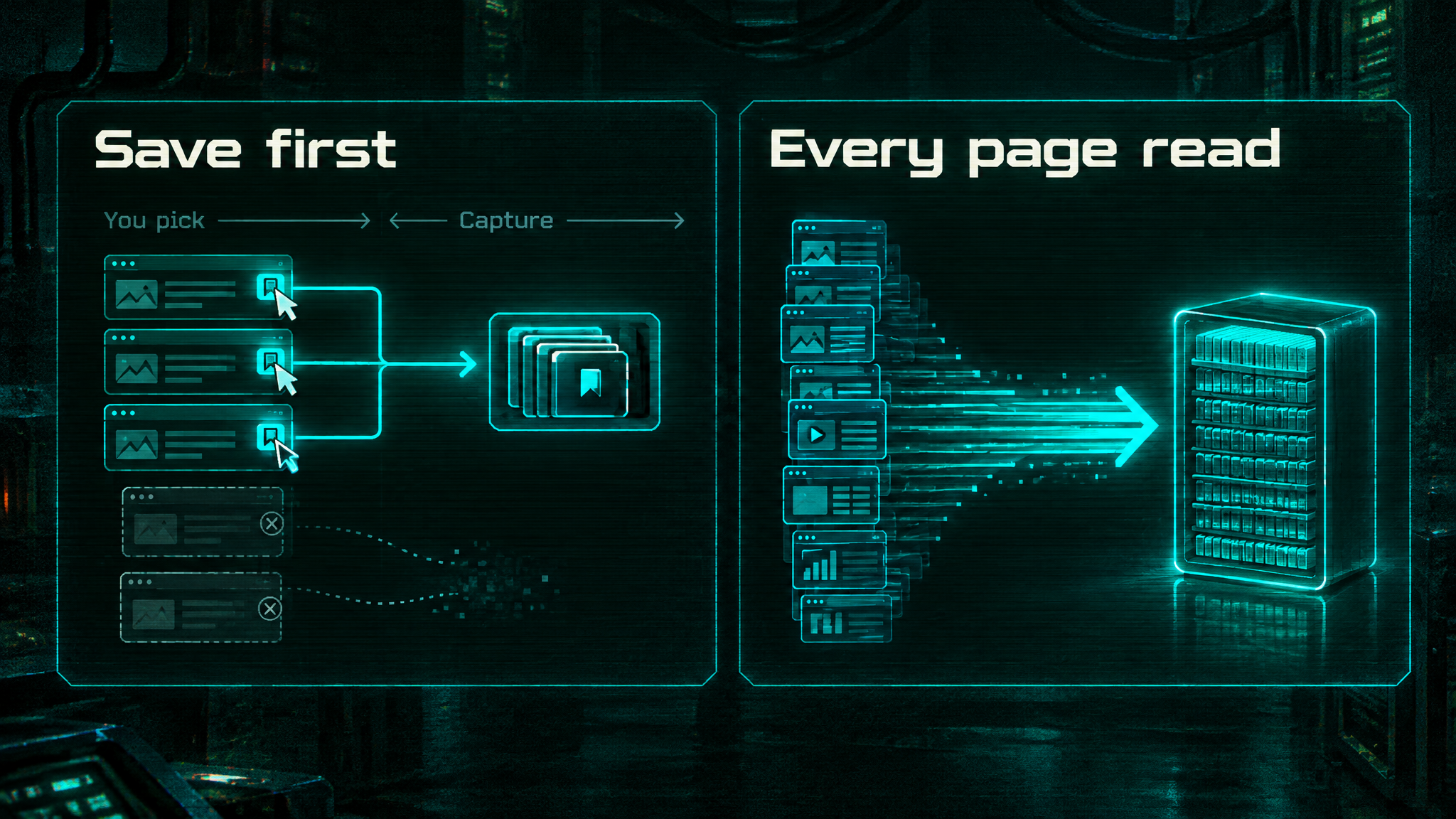
Datarag belongs to the capture group. Datarag is a browser extension that saves and indexes everything you read online, so you can search your full browsing history in plain language — or ask an AI about it.
The main difference in the table is who puts a page in: you, or the tool. Prices are from each vendor's page at time of writing.
How do the save-first alternatives compare?
Save-first tools suit you if you'd rather curate than capture. They hold only what you chose, so results stay short and on topic. The cost is the pages you didn't save.
Recall
Recall (recall.it, not the meeting-bot company Recall.ai) builds a library from the pages you save. Its pricing page lists extensions for Chrome, Firefox, Edge and Safari. Recall's own comparison page says it writes AI summaries when you save and adds categories, tags and a knowledge graph.
Recall's free plan includes unlimited saves and notes and 10 AI summaries a month. The table lists its paid plans, billed yearly. The pricing page doesn't mention automatic capture of browsing history, so each page gets in through a save.
MyMind
MyMind is a save-to-memory app for the images, articles and websites you choose to keep. Its pricing page lists The Bookmarker at $4.99 a month without AI, Student of Life at $7.99 and Mastermind at $12.99. The page says nobody can see what you save and that MyMind runs no ads. It describes no automatic capture of browsing history.
NotebookLM itself
NotebookLM is still the right pick when the sources are known up front. If your material is files rather than web pages, such as audio recordings or slide decks, NotebookLM takes them as sources directly. Recall's comparison page notes that NotebookLM has no browser extension, so web pages go in by URL.
Which alternatives capture what you read without a click?
TraceMind, Chrome's AI history search and Datarag record pages as you read them. Nothing depends on remembering to save. They differ on where data lives, which browsers they cover and how far back they reach.
TraceMind is an extension that captures readable pages and searches them by meaning or keyword. Its Chrome Web Store listing says core capture, indexing, storage and search run locally. Chat with your history is a Pro feature that uses your own OpenAI, Anthropic or Google Gemini key. TraceMind fits you if local-only storage matters most and you're happy to manage an API key.
Chrome's AI history search stores page contents locally and lets you search history in everyday language. Chrome Help says it's opt-in and covers only sites you visit after turning it on. You must be located in the US and use Chrome in English. Gemini in Chrome can also search your history, but it needs a personal Google Account and synced history.
For a US user who lives in Chrome, that's the no-install option, and its local storage is a real advantage. Outside those limits, Chrome's default history applies. That history matches only page titles and URLs, and it keeps roughly 90 days.
How does Datarag work on everything you've read?
Datarag indexes the full content of every page you read once it has fully loaded. Your browser history knows the URL. Datarag knows what was on the page. You search your browsing history in plain language by describing what you remember.
Datarag also indexes YouTube subtitles, so a video you watched is searchable by what was said. It keeps your browsing history permanently, with no 90-day cutoff. The developer who needs a Stack Overflow answer from last spring can still find it.
The AI chat answers using the pages you've read as context. Pin one page to scope a question to it, or pin several to ask across them. Pinned pages work like a NotebookLM notebook you never had to build.
Datarag works on Chrome, Edge, Brave, Arc, other Chromium-based browsers and Firefox. It syncs your history across browsers and devices. It typically uses less than 50MB of RAM, with negligible CPU use.
Datarag encrypts your data with a key derived from your PIN, and the PIN never leaves your device. Its servers store only data they can't decrypt, and your data never trains AI. The security page covers the details.
What Datarag skips protects you too. It never captures incognito browsing. It automatically excludes adult sites, gambling pages and social media networks. You can toggle indexing off at any time.
Datarag stores encrypted data on its servers, while TraceMind and Chrome keep core data on your device. If nothing may leave your device, one of those two fits better.
When does a browser history search fit better than a notebook?
A history search fits better when you can't say where a page is, only what it said. These signs point that way:
You don't remember saving the page. A save-first tool holds nothing you skipped.
You remember the content, not the title. Default Chrome history matches only titles and URLs.
The pages span weeks or months. A notebook covers one project, while your reading crosses many.
The PM hunting for last Tuesday's pricing page hits all three. So does the student rebuilding sources for a thesis chapter. For the steps in Chrome and Edge, see how to search your browsing history by content.
A notebook fits better when you already hold the sources. Load them into NotebookLM, ask your questions, and close the project.
Which NotebookLM alternative fits you?
Pick by where your sources come from. If you curate a set of documents, NotebookLM or Recall gives you a clean library. If the page you need is one you read and never saved, you want a personal web memory that captured it already. Datarag is free for 30 days, with no credit card required. Add to Chrome.
Frequently asked questions
Is NotebookLM now called Gemini Notebook?
Google's help center for the tool now uses the name Gemini Notebook. The help pages still sit at the old NotebookLM address, and the page on adding sources refers to "Notebooks in Gemini." The help pages don't explain the change, so expect both names in search results for now.
How many sources can you add to NotebookLM?
Free users can include up to 50 sources, according to Google's help page on adding sources. Each source can hold up to 500,000 words, or up to 200MB for an uploaded file. The page doesn't list the limits for paid plans.
Can other AI assistants use the pages I've saved or read?
Yes, if your tool has an MCP server. MCP (Model Context Protocol) is an open standard that lets AI assistants connect to outside data sources.
Datarag includes an MCP server, so external AI assistants can query your personal web memory.
Recall's pricing page lists API and MCP access on its free plan.
Memex documents an MCP server that lets AI agents search a user's Memex library.