
AI browser history search
Remember everything you read online. Search your browsing history in plain language — or ask an AI about it.
30-day free trial, then $2.99/month.
Install Datarag extension and ...
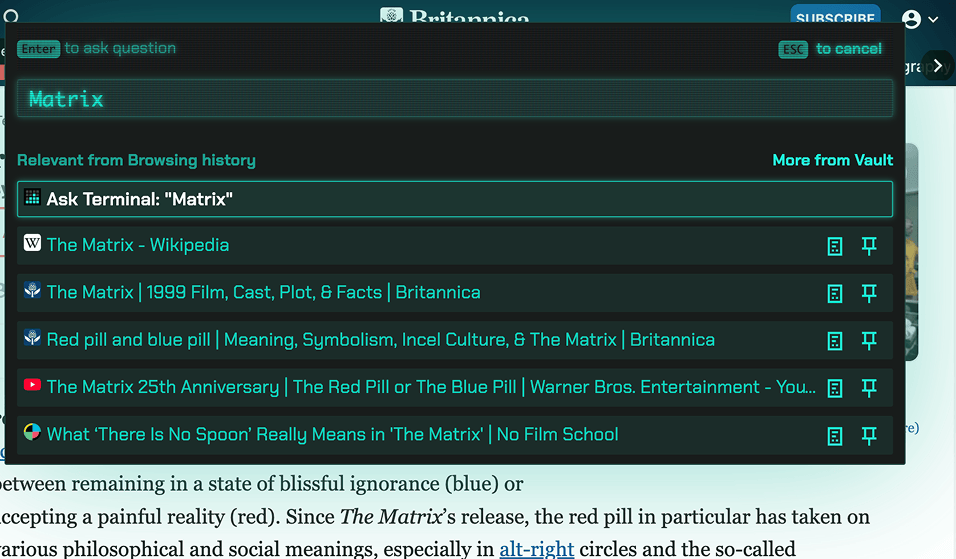
Search everything you've read
Type a search term, or describe what you're looking for.
Search your browsing history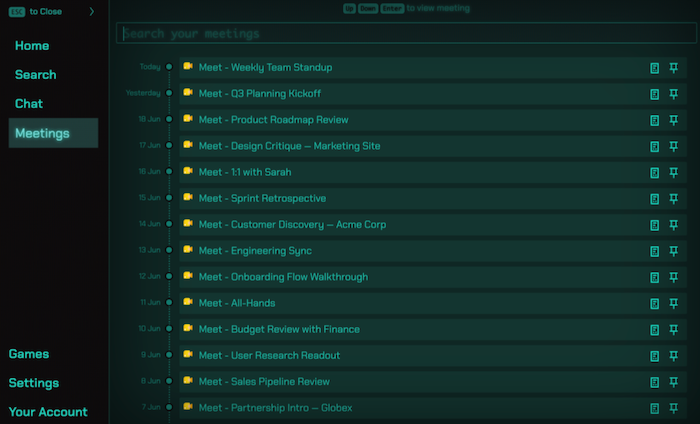
Remember What Was Said in Google Meet
Transcripts are saved automatically, so you can search what anyone said.
Google Meet transcripts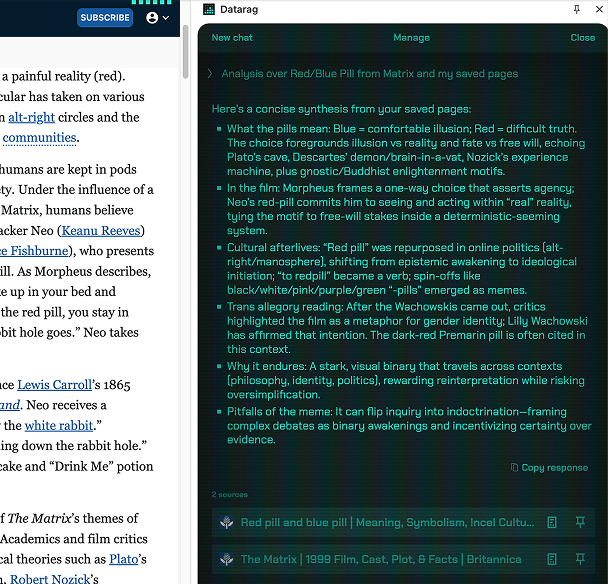
Chat with Your History
Ask a question in plain words, get an answer from the pages you read.
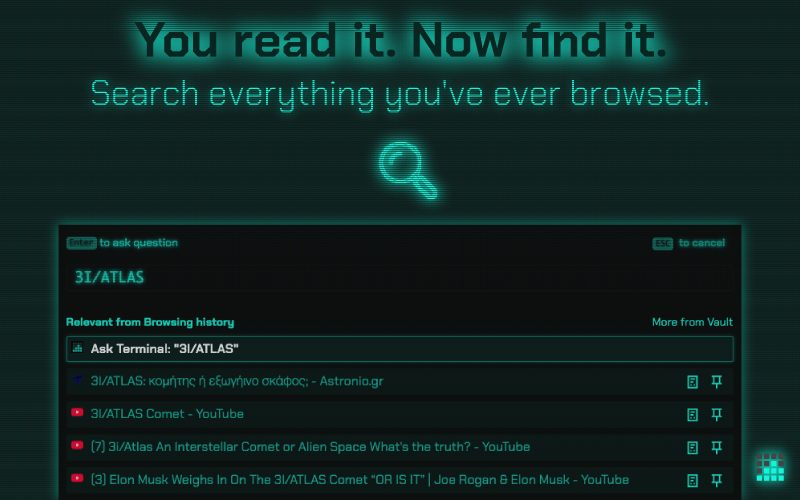
Same browser history for all your devices
Chrome, Edge, Brave, Firefox, Arc and other Chromium browsers.
A try out before installing. Search this site
A simple search of this site, with no AI. Datarag does this across everything you've read.
Keep your browsing history yours.
On this site
A small taste of Datarag: this site remembers the pages you visit here, in this browser only. It stays until you clear it.
In Datarag
- Encrypted with a key from your PIN
- Servers hold only data they can't decrypt
- Decrypted in memory per request, then wiped
- Never used to train AI
- Incognito is never captured
- Lost PIN, lost data — even for us
Connect your AI assistant to your browsing history
Datarag includes an MCP server, so external AI assistants can query your personal web memory directly. Instead of pasting links or re-explaining what you read, ask your assistant and let it search everything you've read for the answer.
Everything you've read, one search away. $2.99 a month.
30-day free trial · Cancel anytime · No credit card required for trial
- Unlimited browsing history
- Search across all pages
- Resurface similar content
- AI chat with your history
- YouTube subtitle indexing
- Google Meet transcription recall
- PIN encrypted data
- Cross-device sync
- Fair usage AI features
Frequently Asked Questions
What is Datarag, exactly?
Datarag is a browser extension that saves and indexes everything you read online, so you can search your full browsing history in plain language — or ask an AI about it.
Can I search my full browsing history?
Yes. Datarag saves and indexes every page you read, so you can search your full browsing history in plain language instead of trying to remember exact URLs or keywords. You can also ask an AI questions about what you've read.
How is this different from Chrome's built-in history?
Chrome's history only stores page titles and URLs, and its search only matches those. Datarag indexes the actual content of each page, so it works as an AI browser history search — you can find a page by describing what was on it, not just its title or address.
Does Datarag keep a permanent record of everything I read?
Yes. Datarag builds a permanent browsing history that doesn't disappear when your browser clears its cache. It acts as a personal web memory you can search anytime, from any device you use it on.
How do I know my data is actually encrypted and you can't access it?
Datarag encrypts your data with industry standard cryptography, derived from your PIN and other secrets, before it gets saved in our database.
We use zero-knowledge encryption, meaning we never have access to your unencrypted data or your encryption keys. Even our servers only store encrypted data that we cannot decrypt.
If my data is encrypted, how does search and AI chat work?
When you perform an action in Datarag, your data is temporarily decrypted in memory on our secure servers and immediately re-encrypted. Your PIN never leaves your device, and we never store unencrypted content.
It works by lending us a temporary decryption key derived from your PIN and other secrets for the duration of the request, after which everything is wiped from memory, and nothing is stored or logged.
Do you use my browsing data to train AI models?
No, Datarag does not use your browsing data to train AI models. Your encrypted data is strictly used to provide you with search and AI chat features. We never share, sell, or use your browsing history for model training purposes.
What happens if I forget my PIN?
Your Datarag data cannot be recovered if you forget your PIN, and your data will have to be reset. This is the trade-off of true zero-knowledge encryption. Not even we can access your data to recover it. We recommend storing your PIN securely in a password manager.
What's your data retention policy if I delete my account?
Datarag will delete all your data immediately upon account deletion. Your data cannot be recovered after deletion.
Does this slow down my browser?
Datarag runs in the background with minimal impact. It typically uses less than 50MB of RAM and negligible CPU. The extension only processes pages after they've fully loaded, so you won't notice any slowdown while browsing.
What about incognito/private browsing? Is that captured too?
No, Datarag does not capture browsing activity in incognito or private browsing mode. Browser extensions are typically disabled in private browsing sessions by default, respecting your privacy when you choose to browse privately.
On top of that, we implement Not-Safe-For-Work (NSFW) filters to avoid capturing sensitive content, including adult sites, gambling pages, and social media networks automatically. And you're always in control: you can toggle page indexing off at any time, for full control over what does and doesn't get saved. We want you to browse with confidence.
Are taxes included in Datarag's price?
No, Datarag's displayed prices are before tax. Applicable taxes will be added at checkout based on your location.
How long have you been in business? Who's funding you?
Datarag was founded and is run by Team O'clock OÜ, a European company that has been in business since 2018 and is trusted by hundreds of companies in the B2B space through our www.teamoclock.com product.
Datarag is the company's second major product and has been bootstrapped, currently self-funded through revenue generated from our existing products and services.
Still have questions?
Contact Support